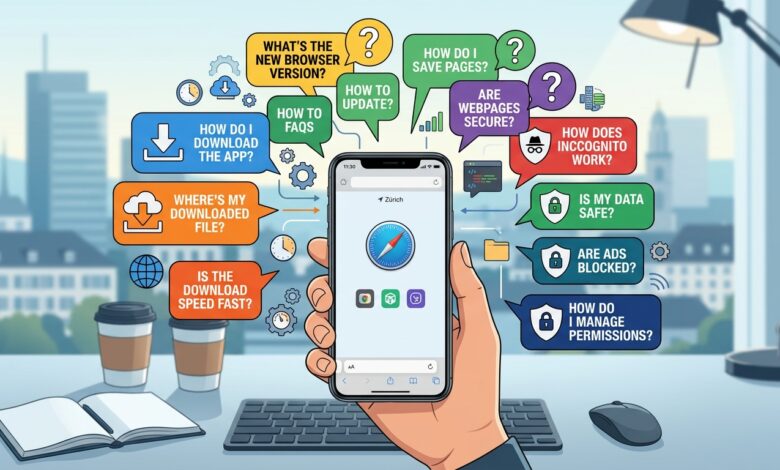
Whether you landed here from an old UC Mini browser FAQ 2022 page or from a fresh search, this is the version that matches how things look today. Below you will find short, direct answers to the questions people ask most about downloading, installing and using UC Mini. Each answer links to a deeper guide when you want more detail. If you are brand new, our main UC Mini browser download article gives the full overview, and this page works as the quick-reference companion.
Quick answer: UC Mini is a free, lightweight Android browser from UCWeb. You can install it from Google Play where available, or from a verified APK. It has no official PC version, and its package name is com.uc.browser.en.
 Quick answers to the most common UC Mini questions.
UC Mini Browser FAQ: Download Questions
Is UC Mini browser free to download?
Yes. The app is free. It relies on ads and promoted content inside the app, which is how the developer pays for it.
Where can I download UC Mini safely?
Google Play is the safest option when the listing is available in your region. Otherwise, use an APK source that shows the version number, file size and the package name com.uc.browser.en. Our guide on is UC Mini browser safe explains how to judge a source.
Who makes UC Mini?
The Google Play listing credits UCWeb Singapore Pte. Ltd. UCWeb is part of the Alibaba Group.
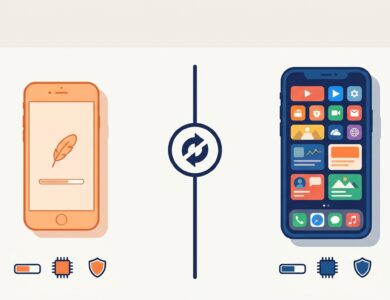
What is the difference between UC Mini and UC Browser Mini?
They refer to the same lightweight app. Store descriptions use the phrase “UC Browser Mini” while the listing name is “UC Mini”.
How big is the download?
It depends on the version. Early builds were only a couple of megabytes, while recent builds in public listings range from roughly 14 MB to more than 40 MB across variants. Check the exact figure for the file you choose.
Is there a UC Mini download for iPhone?
UC Mini is an Android app. We are not aware of a UC Mini edition for iPhone, so iOS users generally look at other lightweight browsers.
Can I download UC Mini for PC?
Not as an official Windows installer. You can run the Android app in an emulator, as described in UC Mini Browser download for PC.
UC Mini Browser FAQ: APK Download Questions
These answers cover the searches people make as Uc mini browser faq apk download and Uc mini browser faq download.
What is a UC Mini APK?
It is the installer file Android uses for apps. Downloading it lets you install without the Play Store.
Is the UC Mini APK safe?
It can be when you verify the package name, check the version and size against other listings, and scan the file. Avoid sites that hide those details. See UC Mini APK download for a full checklist.
Which APK version should I choose?
Choose the newest one your Android version supports. Listings show older builds supporting Android 2.1 to 2.3 and 4.0, while the 12.9 line needs Android 5.0. See UC Mini download old version for details.
Does a sideloaded APK update automatically?
No. You need to download and install newer builds yourself.
Why does it say “App not installed”?
The build may not match your Android version, the file may be corrupted or an older copy may conflict. Remove the old copy, download again and try a build that suits your phone.
UC Mini Browser FAQ: Install and Setup
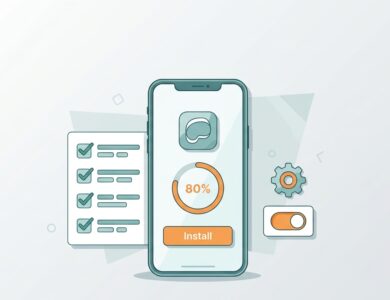
How do I install UC Mini?
Install from Google Play or open the APK and allow the install when Android asks. The full walkthrough is in UC Mini Browser install.
Do I need to enable unknown sources?
Only for an APK. On Android 8.0 and newer, you grant the permission to the app you used to open the file. Switch it off again afterwards.
What permissions does UC Mini ask for?
It asks for typical browser permissions such as storage and network access. Release notes for some versions mention additional permissions, such as approximate location and Bluetooth, for newer features. Deny what you do not need.
Can I move UC Mini to a memory card?
That depends on your phone and Android version. Many modern phones no longer allow it, so check your device’s app storage settings.
UC Mini Browser FAQ: Features and Usage
What features does UC Mini have?
Store descriptions list a tiny size, data saving, an ad blocker, incognito browsing, night mode, smart downloading and navigation cards.
Does the ad blocker remove every ad?
No. It reduces many web ads, but promoted content inside the app and some embedded ads may remain.
How does data saving work?
The browser compresses pages so your phone downloads less data. It can help on slow or capped connections, but the gain is smaller on fast Wi-Fi.
Can I download videos with UC Mini?
The app has a built-in download manager and video features, and its Google Play listing mentions video downloading. Only download content you have the right to save.
Does UC Mini have incognito mode?
Yes. It keeps browsing history off your device, though it does not make you anonymous online.
UC Mini Browser FAQ: Versions and Updates
What is the latest UC Mini version?
Public listings show 12.x builds uploaded in March and April 2026. Details are on our UC Mini 2026 page, and you should always read the version label on the file you download.
Is the new version better than the old one?
Usually, for security and website compatibility. On very old or weak phones, an older build may feel faster.
How do I go back to an older version?
Uninstall the current version, then install the older APK. Android does not allow downgrades over an existing newer install.
UC Mini Browser FAQ: Safety and Privacy
Is UC Mini safe to use?
The UC family has a history of privacy criticism, including a 2015 Citizen Lab report and a ban in India in 2020. UC Mini remains listed on Google Play. Use it with care, avoid sensitive logins and keep permissions tight.
Is UC Mini available everywhere?
No. Availability varies by country and store, partly because of regulations and platform policies.
Does UC Mini collect my data?
Like most free browsers, it processes usage information. Read the privacy policy in the app and review permissions before you decide how much to trust it.
Quick Reference Table
| Question | Short answer | Read more |
|---|---|---|
| Is it free? | Yes, supported by ads | UC Mini browser download |
| Which file should I pick? | The newest build your Android supports | UC Mini APK download |
| How do I install it? | Store or APK with permission | UC Mini Browser install |
| Does it work on PC? | Only with an emulator | UC Mini for PC |
| Is it like UC Browser? | Same family, lighter app | UC Browser vs UC Mini |
| Is it safe? | Use with caution and good habits | Is UC Mini safe? |
Troubleshooting FAQ
The app keeps crashing. What should I do?
Clear the cache, restart your phone and try again. If it persists, reinstall a stable build that matches your Android version.
Downloads are stuck at zero. Why?
Low storage, a weak connection or a blocked permission are the usual causes. Free some space, test your connection and confirm the storage permission.
Too many ads appear on the start page. Can I reduce them?
Turn on the ad blocker and trim the navigation cards or promoted tiles in the settings.
Final Thoughts
We hope this refreshed FAQ answers what you came for. If your question is not listed, the best next stop is the full UC Mini browser download guide, followed by the install guide or the APK page. For a head-to-head view of the two UC apps, see UC Browser vs UC Mini.